
SESSION IDENTIFICATION
Use session colours to guide wristband handout
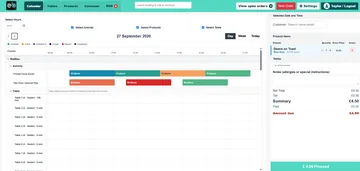
Give timed sessions recognisable colours on the calendar so reception staff can see the upcoming session and choose a matching physical band under the venue's own procedure.
EPOS Bookings does not supply wristbands. The venue buys them from a third party; physical issue and any band record are not assumed to be automated.
How the configured journey works
Set session colours
Configure a named colour for each relevant activity or time slot where that feature is enabled.
View at reception
Staff can use the calendar's coloured current and upcoming sessions to guide an arrival conversation.
Issue locally
The venue chooses and hands out its own matching third-party wristband, following its own stock and admission procedure.
Keep the digital and physical steps distinct
The colour in the software helps staff identify a session. It does not prove the system prints, scans, sells or records a physical band for an individual attendee.
This page is about using colours at reception to coordinate a manual band handout. Automated session announcements have a separate purpose and page.
What to confirm for your venue
- Confirm the configured session colour is visible to the relevant reception role.
- Document who buys, stores and hands out the physical bands.
- Do not imply gate control, re-entry, cashless use or automatic occupancy from the colour display.
Common questions
Do you supply the wristbands?
No. Venues obtain physical bands from a third-party supplier.
Does software assign a particular band to a guest?
That has not been established. The confirmed use is a visible session colour that staff can apply to a manual process.
Is this the same as session announcements?
No. This page covers colour guidance for a venue's wristband process; announcements are a separate configured function.
Review the setup that fits your venue
Tell us the journey, equipment and staff actions you need. We will demonstrate the relevant configuration and confirm any model-specific or service terms.