
EPOS scanning explainer
How a Barcode Scanner Works in a Café or Leisure Venue
A barcode scanner works by reading a pattern, decoding its data and passing the result to software. The software can then use that value to find a product or booking. Staff check the matched record before completing the sale or arrival process.
In this article
That distinction matters: reading a code successfully does not prove that the correct product has been selected, a booking is valid for today or a payment has been authorised.
Here is the sequence, from the label or booking confirmation to the action at the counter.
1. The code represents data
A barcode is a machine-readable way of representing information. Familiar linear product barcodes use bars and spaces to encode a value, often a product identifier called a Global Trade Item Number, or GTIN. GS1 explains the GTIN’s lookup role. Identical units of the same product can carry the same identifier; it does not necessarily identify one individual packet or bottle.
A QR code stores data in a two-dimensional pattern. Its contents might be a reference, text or a web address. The square pattern alone does not tell you its purpose. A QR code on a café table might open a menu, while one on a booking confirmation might identify a booking.
For a typical product lookup, the selling price comes from the venue’s product record rather than the scanner calculating it from the bars.
2. The reader decodes the pattern
The reader detects the contrast between light and dark areas. A laser-based reader measures reflected light across a linear barcode. An imaging reader captures an image that decoding software interprets.
The decoder recognises the supported code format and converts the pattern into its encoded value. It does not understand “coffee beans” or “Saturday swimming session” simply by looking at the label. Those meanings come from how the receiving software uses the data.
Lighting, glare, damage and positioning can affect whether the pattern is captured clearly. A readable code and a useful software result are two separate stages.
For equipment choices and supported formats, see our barcode and QR scanners page.
3. Software finds the record
Once decoded, the value passes to the receiving application through the configured connection.
For a product, the till software typically searches its product records for the matching barcode value. For a booking, the arrival software may use a reference or other encoded value to retrieve the relevant record.
Configuration-dependent: some setups enter scanned data into the active field; others handle it through a dedicated scanning function. Staff need the correct application and workflow open.
The scanner can read a code perfectly while the software finds nothing. An unregistered product identifier, an unrecognised booking reference or the wrong receiving field can all interrupt the sequence.
4. Staff verify the match
At the café counter, check the product description, variant, quantity and selling price. Similar packaging can conceal different sizes or flavours. Repeated scans may also add more than one item, depending on configuration.
At leisure reception, check the booking date, session time, activity, participant numbers and relevant status. Review any outstanding balance through the venue’s agreed procedure.
Do not treat a beep as approval. Read the application’s result and resolve warnings before proceeding. A code that decodes successfully could still refer to a cancelled booking or the wrong day.
5. Complete the appropriate action
Product scanning identifies an item for the sale. Staff still review the basket and complete payment. Our guide to how to use a till covers that operational sequence.
Booking scanning supports the arrival process. Staff follow the configured check-in procedure after checking the record. See online bookings and venue check-in software for the related workflows.
Scanning a product or booking code does not itself authorise a payment card. It also does not itself grant physical access through a gate or restricted entrance. Those require separately defined payment or access-control processes.
Example: café merchandise
A customer buys a bag of coffee beans alongside a drink. The assistant scans the bag’s product barcode. In this illustrative setup, the till finds the matching 250g beans record and adds it to the basket.
The assistant checks the description, quantity and price, then enters the drink separately. Payment follows only after the complete order has been confirmed.
If the barcode reads but no product appears, the assistant uses the approved product search or asks a supervisor.
Example: leisure reception
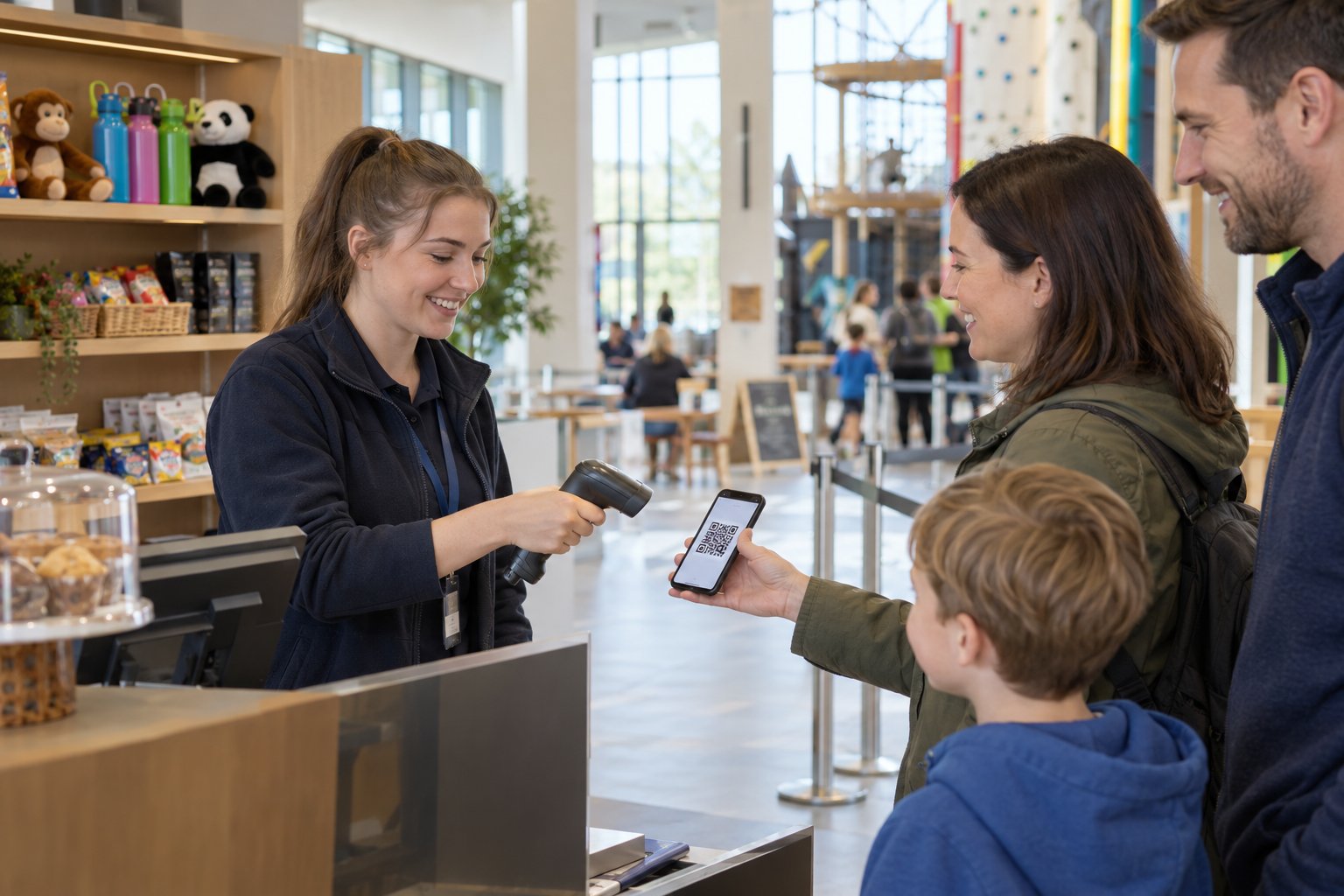
A family presents a QR code for a timed activity. In this illustrative setup, scanning retrieves their booking.
The receptionist confirms today’s date, the session time and four participants, then checks the recorded payment position. After completing the required arrival checks, they follow the venue’s check-in process.
If the record shows a different session or a previous check-in, they investigate rather than admitting the family on the strength of the scan.
Common failures and what to test
Test the complete sequence, including unsuccessful outcomes:
- Nothing reads: try an undamaged code, adjust positioning and reduce glare.
- It reads but nothing appears: check the receiving application, connection and record mapping.
- The wrong item appears: stop and report the barcode-to-product mapping for correction.
- A scan repeats: check the basket quantity or arrival status before scanning again.
- A booking is rejected: investigate its date, cancellation or prior check-in status.
- Software is unavailable: use the approved assisted lookup or downtime procedure.
Include known products, unknown codes, valid bookings, cancelled bookings and repeat scans. Confirm that staff can distinguish a decoding failure from a software lookup or validation failure.
Configuration-dependent: rejection messages, repeat-scan handling and offline behaviour must be demonstrated for the actual setup.
FAQ
How does a barcode reader work?
It detects the code’s optical pattern, decodes the data and sends the result to software for the relevant task.
How do barcode readers work out prices?
In a typical product lookup, software retrieves the price from the matched product record. The reader supplies the encoded value.
Does a booking QR code prove payment?
No. Staff should check the booking’s payment record. Reading the code alone does not establish whether money is still owed.