Skip to content
Contact for Sales0203 7277212
Pubs/Bars

EPOS for Pubs, Bars and Food Service

EPOS Systems for Pubs and Bars

Run drinks, food and customer payments through an EPOS setup designed around the way your pub or bar serves people.

EPOS Bookings supports product sales and options, table tabs, kitchen displays and printers, QR table ordering, product stock records and reporting, with multi-location functionality available for larger operations. A food-led pub with restaurant-style table service has different requirements from a drinks-led bar serving customers mainly at the counter, so the right configuration starts with your service model.

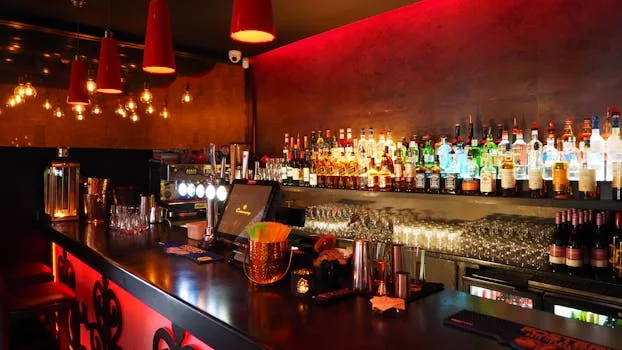
Illustration of a pub team taking a food and drink order at the bar
Editorial illustration for EPOS Bookings.

Choose a workflow for drinks, food or both

A traditional bar transaction can be straightforward: staff enter the drinks, take payment and complete the sale at the counter. A pub serving meals may also need table-based ordering, kitchen communication and an ongoing bill associated with the table.

EPOS Bookings can support products and relevant options within the sales workflow, allowing the setup to reflect the food and drinks being sold. The useful combination depends on whether customers primarily order at the bar, receive table service or use both during the same visit.

In everyday use

Keep table service and tabs organised

For suitable hospitality workflows, table tabs allow relevant orders and bills to remain associated with the table during the customer's visit. This is particularly useful where customers order several rounds or add food after their first drinks.

Imagine a busy Saturday evening. A group arrives for drinks and later decides to order meals. Staff need to keep the additional drinks and food associated with the correct table while ensuring the kitchen receives the meal order.

If an item has been entered incorrectly, staff should correct it through the agreed EPOS workflow so the table information and kitchen communication remain clear rather than relying on an informal verbal correction.

Send food information to the right preparation area

Food-led pubs need an effective handover between front of house and the kitchen. EPOS Bookings supports kitchen display software and kitchen printing, with configured routing used to support the intended preparation workflow.

The setup should reflect the venue. A pub with one kitchen may need a relatively simple arrangement, while a larger operation can have different preparation requirements. Clear product names and options also help kitchen staff understand what has actually been ordered.

Add QR ordering where it fits the venue

QR table ordering gives customers another route for suitable food and drink orders. It can complement staff-led service rather than requiring every pub or bar to change how customers order.

A venue might use QR ordering in a dining or garden area while continuing normal counter service at the bar. The important consideration is how those orders fit the existing table, kitchen and payment workflow.

Planning each ordering route together helps staff understand where an order originated and how it should be fulfilled.

In everyday use

Use stock and reporting across the operation

Product stock functionality provides recorded quantities for relevant physical products sold through the EPOS. Sales information and reporting can then help managers review trading activity using consistent transaction records.

Multi-location functionality is also available for businesses operating more than one pub or bar, allowing appropriate local products and requirements alongside authorised oversight across locations.

  • Map counter, table-service and QR ordering routes
  • Define products and customer choices clearly
  • Decide where table tabs are required
  • Configure kitchen displays or printers around food preparation
  • Identify products requiring stock quantity records
  • Define the sales reports management needs
  • Map location-specific requirements for multi-site businesses

Compare plans for your business

Choose monthly or yearly billing. Review the included features below and confirm any hardware or additional services required for your setup.

Trials last one calendar month and require verification and approval. Review the Direct Debit setup and billing dates during registration.

Your questions answered

Frequently asked questions

Can EPOS Bookings support both bar and table service?

Yes. The setup can support counter sales alongside relevant table-service workflows, allowing pubs and bars to configure EPOS around the way customers actually order.

Can food orders be sent to the kitchen?

Kitchen display software and kitchen printing are available, with the relevant routing configured around the venue's preparation workflow.

Can customers order using QR codes at the table?

Yes. QR table ordering can form part of suitable hospitality setups and can operate alongside staff-led counter or table service.

Does EPOS Bookings include stock and reporting?

Product stock functionality supports relevant recorded quantities, while sales and product reporting provide information for reviewing trading activity. Multi-location oversight is also available for suitable businesses.

Explore related solutions

EPOS Bookings · UK-wide

See EPOS Bookings for your pub or bar

Book a demonstration to discuss your bar service, table tabs, food ordering, kitchen workflow, stock and reporting. We can map a typical customer visit and show the EPOS functionality relevant to the way your venue operates.