
TOUCHSCREEN TILLS AND COUNTER EQUIPMENT
Touchscreen POS Terminals & Registers
Build a checkout position around the work your team needs to do. Choose the touchscreen terminal, software and compatible peripherals together, with space for payments, receipt handling and customer interaction.
Equipment shown illustrates possible arrangements. Exact models, included components and compatibility are confirmed in your quotation.
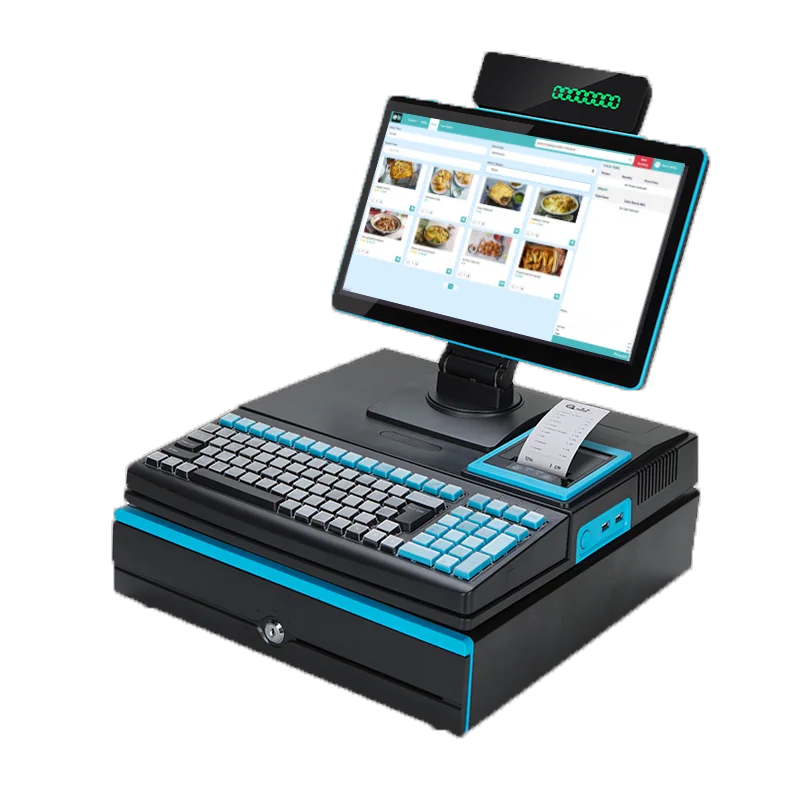
UNDERSTAND THE SETUP
A terminal, its software and the complete checkout position
The POS terminal
The physical touchscreen device provides the staff working position. Confirm the exact model, operating requirements and available connections for the proposed setup.
The EPOS software
Software provides the product, order and customer workflows available to staff. Booking and other modules depend on the functions enabled for your venue.
The complete till setup
A working checkout can combine the terminal with selected payment, printing and other peripherals. A photograph does not establish that every pictured item is included.
PLAN THE CHECKOUT POSITION
Fit the equipment around your counter and service
Counter space
Check the terminal footprint, staff working area and space needed for cables and any connected equipment.
Screen position
Consider staff viewing and reach, customer interaction and the placement of any separate customer display.
Power and connectivity
Confirm power, network and connector requirements for the terminal and its peripherals. Do not assume every device supports the same connections.
More than one service point
If you need several tills, identify the work each position will handle. Confirm device, access and connection requirements for each proposed station.
EQUIPMENT VIEWS
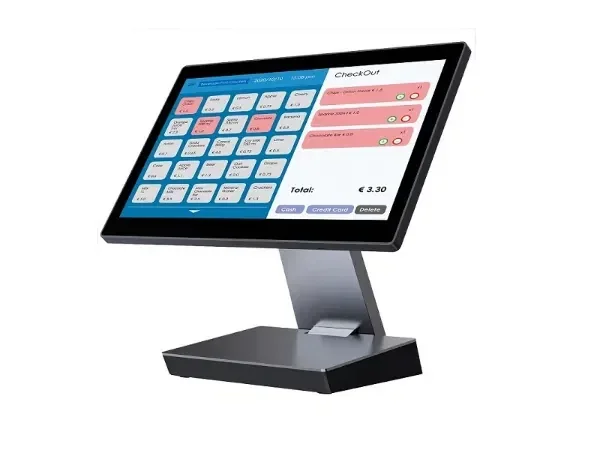
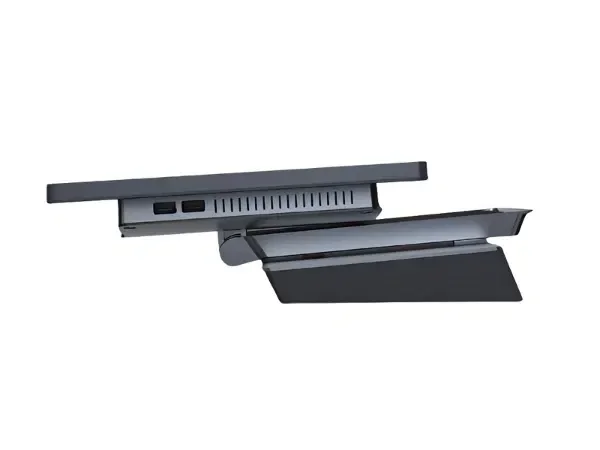
Review the terminal’s front and side profile
Use the supplied views to discuss the terminal’s appearance and counter placement. Confirm dimensions and the exact supplied model before finalising the layout.
STAFF SALES WORKFLOW
Connect the physical till with the tasks your team performs
The supported POS workflow includes product selection, customer search and order-queue handling, with eligible order updates. Booking functions and other modules depend on configuration.
Payment selections also need checking. A standalone card method may record a payment processed elsewhere, while an integrated terminal requires the appropriate device, connector and gateway.
SELECT THE COMPONENTS
Add equipment for the checkout you need
Payment terminal
Choose payment equipment alongside its provider and integration requirements. Do not infer compatibility from appearance alone.
Receipt printer
Confirm a supported printer and the required connector setup. Printer discovery and testing depend on the supported online connector workflow.
Customer display
Discuss whether a customer-facing display is needed and confirm the supported connection and information it can show.
Cash drawer
If your operation takes cash, confirm the drawer, connection and opening workflow required for the proposed setup.
BEFORE YOU CHOOSE
Check the proposed equipment and service together
Confirm the equipment list
Obtain the exact terminal model, peripherals and included components. Identify anything optional rather than assuming the pictured assembly is a standard package.
Demonstrate the connections
Walk through product selection, payment and receipt handling with the proposed equipment. Check any existing devices individually before planning to reuse them.
Confirm supply and support terms
Ask which purchase or other supply arrangements are available, then obtain the applicable warranty, installation, training and support terms in writing.
FURTHER BUYING GUIDANCE
Read more about choosing an EPOS till
Use the till guide to explore buying considerations, then confirm the specifications and services included in your proposed setup.
QUESTIONS BEFORE YOU CHOOSE
POS terminal and EPOS till questions
Is a POS terminal the same as a complete EPOS system?
The terminal is the physical staff device. A complete setup also depends on the software, selected peripherals and any payment or service connections your operation needs.
Does the pictured assembly show everything included?
No standard bundle is established by the photograph. Confirm the exact models and included components in your quotation.
Can I use my existing printer, drawer or payment terminal?
Compatibility must be checked for each device and connection. Do not assume an existing peripheral will work because it is used with another till.
Will the till work without an internet connection?
Offline operation is not established by the setup described here. Confirm the connectivity requirements and how your team should handle an interruption.
Are rental, finance, installation and training available?
These arrangements are not included or promised by this page. Ask which options are currently offered and obtain the applicable supply, warranty and support terms for your quotation.
PLAN YOUR CHECKOUT
Show us how your counter needs to work
Tell us about your service points, existing equipment and staff workflow. We’ll discuss the terminal, software and peripheral requirements and confirm the proposed setup before you choose.