
TABLE RESERVATIONS
Online Table Reservation Software
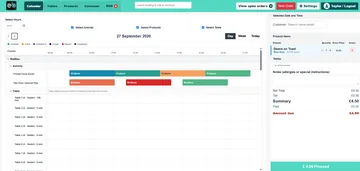
Explore how table availability, reservation duration and POS table allocation could fit your service. EPOS Bookings provides configurable table controls; we’ll demonstrate the customer and staff reservation steps available for your proposed setup before you choose.
Customer online table reservations depend on the configured booking journey. Ask us to demonstrate the journey your venue needs.
BEFORE THE BOOKING
Start with the reservation journey your venue needs
A table reservation involves more than selecting a table. Decide how customers should request a booking, what information your team needs and how changes should be handled. We’ll use those requirements to demonstrate the available setup.
Customer booking
Tell us whether customers need to choose a date, time and party size online. We’ll confirm which steps are available in the proposed customer table-reservation journey.
Staff handling
Show us how your team takes bookings and manages changes. Ask to see the relevant staff screens before relying on a particular reservation process.
Messages and payments
If you need confirmations, reminders, deposits or cancellation handling, include them in your demonstration request. Availability for table reservations must be confirmed for your setup.
VERIFIED TABLE CONTROLS
Set the table rules behind your reservation setup
These controls support table allocation and reservation handling where configured. The customer-facing booking steps should be demonstrated separately.
Location-specific layouts
Use a table layout associated with the relevant location, so allocation uses that location’s tables.
Table capacities
Record table capacities and check selected tables against the required capacity where limits are enforced. authorized overrides depend on configuration and staff permissions.
Reservation duration
A duration of zero minutes attaches a table without reserving it. A positive duration reserves it for at least that period; it does not promise automatic release when the period ends.
Multiple-table allocation
Allocate more than one table when this option is configured. Availability and capacity are checked across the selected tables.
For floor-plan editing, manual reserve and release controls, and detailed POS table operations, explore table management.
DURING SERVICE
Connect table allocation with your POS workflow
When enabled, staff can assign tables in the POS. Configured early check-in allowances can also form part of the table setup.
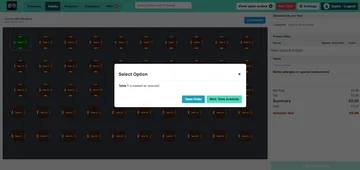
A reserved table can expose controls to open its order or mark it available. These are operational controls: they do not establish automatic customer check-in, automatic order creation or table release after payment.
Confirm who updates table availability and when, so your team has a clear process during service.
CHOOSE THE RIGHT JOURNEY
Table reservations, activity bookings or appointments?
Restaurant service
Explore the broader restaurant setup, including table service, POS sales and kitchen workflows.
Restaurant EPOS systemsActivities and sessions
For activities booked into dates or sessions, explore the separate online booking tools and their configuration options.
Online booking softwareAppointment-based businesses
Looking for a barber or hairdresser setup? Explore the industry page and ask us to confirm the appointment workflow you require.
EPOS for barbers and hairdressersQUESTIONS BEFORE YOU CHOOSE
Table reservation questions
Can customers reserve a restaurant table online?
Customer table selection is supported in configured booking journeys. The evidence for activity bookings does not establish every step of a restaurant table-reservation flow. Ask us to demonstrate the customer journey available for your venue before choosing your setup.
Can table capacities and reservation durations be configured?
Yes. Table capacities and reservation durations can be configured. Capacity checks depend on the enabled rules. A zero-minute duration attaches a table without reserving it; a positive duration reserves it for at least that period. Automatic release at expiry is not promised.
Can a booking use more than one table?
Multiple-table allocation is available when configured, with availability and capacity checked across the selected tables. This does not imply automatic seating optimization.
Are deposits, reminders and cancellation tools included?
These have not been confirmed for the restaurant table-reservation journey described here. Tell us which you need so we can check and demonstrate the relevant functionality before you choose a setup.
Can staff create or change table reservations?
POS table assignment and reserved-table controls are supported. A complete staff reservation-entry and change workflow should be demonstrated separately; those controls alone do not establish the full process.
Is this the same as online activity booking?
No. Activity and session bookings have their own booking journey and configuration. Explore our online booking software if customers are choosing an activity or session rather than reserving a restaurant table.
SEE YOUR PROPOSED SETUP
Let’s walk through your reservation requirements
Tell us how customers book, how your team handles changes and what happens when guests arrive. We’ll confirm the supported journey, relevant table controls and any configuration requirements before you choose.