
POS systems and booking software for your business
Bring reservations, check-in, sales, and payments together with EPOS Bookings. Choose tools for your operation, from scheduled activities and table service to inventory management, memberships, and equipment rental.
Software modules, hardware and payment services depend on your chosen plan and configuration.
Online booking, ticketing and visitor arrivals
Let customers plan their visit online and give staff the tools to manage the day. Connect bookable activities, session availability, arrival checks and the extras your venue offers.
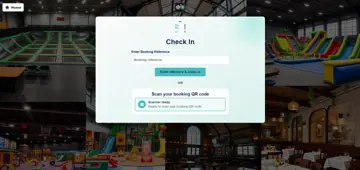
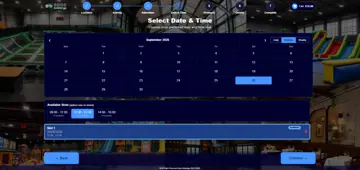
Demonstration calendar and check-in screens. Dates, availability, prices and admission checks depend on configuration.
Online bookings and calendars
Let customers choose an activity, attendee categories and available dates or sessions through your website. Staff can also make bookings from the POS calendar.
Capacity and session availability
Set guest and booking-count limits for timed activities. Review remaining booking availability separately from physical venue occupancy.
Party and group bookings
Set minimum and maximum group sizes and prices for attendee categories. Offer configured table, product, or equipment rental options alongside the booking.
Booking-based admission
Sell places for configured activities and timed sessions, then use the booking record to manage attendance and booking-based arrival checks.
Check-in and digital waivers
Find a booking by reference or QR code and check timing, payment and required waiver completion before admission. Collect signatures for activities that require them.
Session colors and announcements
Configure named slot colors and voice announcements before activity sessions end. Confirm the voice service and audio-output setup for your venue.
Appointment requirements
Tell us about the service, staff and resource scheduling you need. A dedicated appointment workflow requires confirmation in a demonstration.
Required waivers use an identified-attendee booking journey. Guest checkout is available only for activities configured without required waivers.
EPOS software for counter sales, table service and kitchen orders
Use the sales channels that suit your venue, with products and categories shared across the configured POS, booking, kiosk and table-ordering journeys.
POS sales and open orders
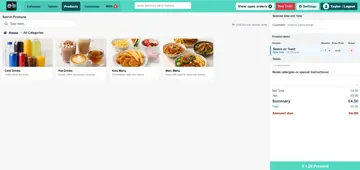
Browse products, scan barcodes and build a sale. Add items to eligible open orders and collect payments using the methods enabled for your venue.
Table management and reservations
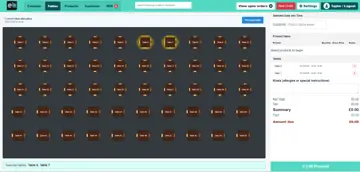
Arrange a visual table plan, set capacities and reservation durations, and allocate available tables to customers or bookings.
QR code table ordering
Let customers open a table-linked menu and place an order. Send eligible preparation items to the configured kitchen display.
Kitchen display software
Give the kitchen a view of preparation tickets and item status. Release eligible activity-linked orders at check-in and track preparation through completion.
Self-service kiosks
Offer configured activity purchases, booking check-in and product or hire journeys on a self-service kiosk. Choose the routes that suit your venue.
Product and menu management
Organize products into categories, maintain prices and images, and control availability for the relevant location and sales channels.
Stock management, purchasing, equipment rental and reporting
Keep the operational work behind each visit connected to your sales and bookings.
Inventory control and counts
Track stocked products, record inventory adjustments and compare physical counts with recorded quantities. Review low-stock thresholds and movement history.
Suppliers and purchase orders
Maintain supplier records, group products to reorder, create purchase orders and record received goods against inventory.
Equipment rental
Offer hourly or daily rentals and track equipment issued, returned, or lost, as well as rental extensions. A standalone rental requires a customer account.
Orders and outstanding balances
Find bookings and sales in one order view. Follow visit status, part-paid orders and remaining balances so staff can see what needs attention.
EPOS reporting and dashboard
Review sales, bookings, attendance, payments and stock for the period you choose. Follow daily operational alerts and export the available reports.
Customer accounts, memberships and loyalty
Build repeat visits around the customer information, benefits and communications your business uses.
Customer accounts and visit history
Find customer details alongside related bookings, orders, memberships and loyalty information. Invite customers to register for an account.
Membership management
Create free or paid memberships with eligible activity and product benefits. Recurring paid plans require billing setup and a connected GoCardless account.
Loyalty points and rewards
Set earning rules, choose how eligible points can be redeemed and review the history of awards and adjustments.
Email campaigns and customer occasions
Send campaigns to eligible subscribers and configure birthday or milestone emails. Respect opt-outs and suppression settings throughout.
Booking emails and post-visit reviews
Send configured booking confirmations, invitations and financial documents. Collect feedback through the review journey for eligible completed bookings.
Manage locations, staff access and your chosen setup
Configure the system around your venues and the people who use it.
Multiple locations
Maintain location-specific activities, sales channels, capacity and operating settings. View the relevant venue’s operational information.
Staff access and configuration
Give staff access to the modules and actions their roles require. Use configured POS sign-in and operator identification for day-to-day work.
Booking rules and communications
Configure cancellation and check-in windows, customer-facing booking content, legal links and email templates for your operation.
Available functions depend on your plan, staff permissions and configuration. We will confirm the modules, devices and services included in your proposed setup.
Payment solutions for online bookings and on-site sales
Choose the payment services that fit how your customers book and buy. Available methods depend on your provider, merchant account and device configuration.
Online and counter payments
Take payment through the configured online booking gateway or supported POS payment methods, including a compatible connected terminal where enabled.
Partial payments and refunds
Accept less than the full balance where the workflow allows, track the amount still due and process eligible full or partial refunds.
Receipts, invoices, and credit notes
Provide customer receipts and manage eligible invoices and credit notes. Apply configured tax settings and review the related payment records.
EPOS and booking tools for your industry
Find the workflows relevant to your business, from restaurant service and venue retail to activity bookings and visitor arrivals. Each setup is configured around the work you need to manage.
21 industries and scoped use cases
Soft play centers
Family bookings, timed sessions, check-in, memberships and café sales.
Leisure venues
Activity bookings, memberships, equipment rental and venue sales.
Cafés and coffee shops
Counter sales, table ordering, loyalty and product stock control.
Takeout restaurants
Record orders, send preparation items to the kitchen and take payment.
Trampoline parks
Session bookings, required waivers, admission checks and on-site sales.
Gyms and fitness studios
Timed classes or sessions, member benefits and reception sales.
Swimming pools
Bookable swim sessions, attendee categories, check-in and memberships.
Bowling venues
Activity bookings, arrivals, food sales and configured equipment rental. Confirm lane allocation requirements in your demonstration.
Family entertainment centers
Activity bookings, party extras, café sales and repeat-visit benefits.
Climbing gyms
Session bookings, required waivers, memberships and equipment rental.
Concerts and timed events
Bookable event places, arrival checks and refreshment or merchandise sales.
Venue retail and gift shops
Barcode sales, loyalty, inventory counts and supplier purchasing.
Barbers
Timed service bookings, product sales and checkout. Confirm staff and chair scheduling requirements.
Hair salons
Timed appointments, retail products and payments. Confirm stylist and treatment scheduling requirements.
Spas
Timed services, retail sales and member benefits. Confirm therapist and room allocation requirements.
Hotels: dining and activities
EPOS for hotel dining, activity bookings and retail operations; room-management functions are outside this overview.
Cinemas: concessions and suitable timed admissions
Concession sales and configured timed admissions; allocated seating and film scheduling are outside this overview.
EPOS hardware to support your software
Choose compatible equipment for reception, counter service, the kitchen and customer self-service. Your setup may include a POS terminal, barcode scanner, receipt or kitchen printer, kitchen display, cash drawer, customer-facing display, kiosk or payment terminal.
Tell us what equipment you already use and what you need it to do. We will discuss the supported devices, connection requirements and payment configuration for your setup.
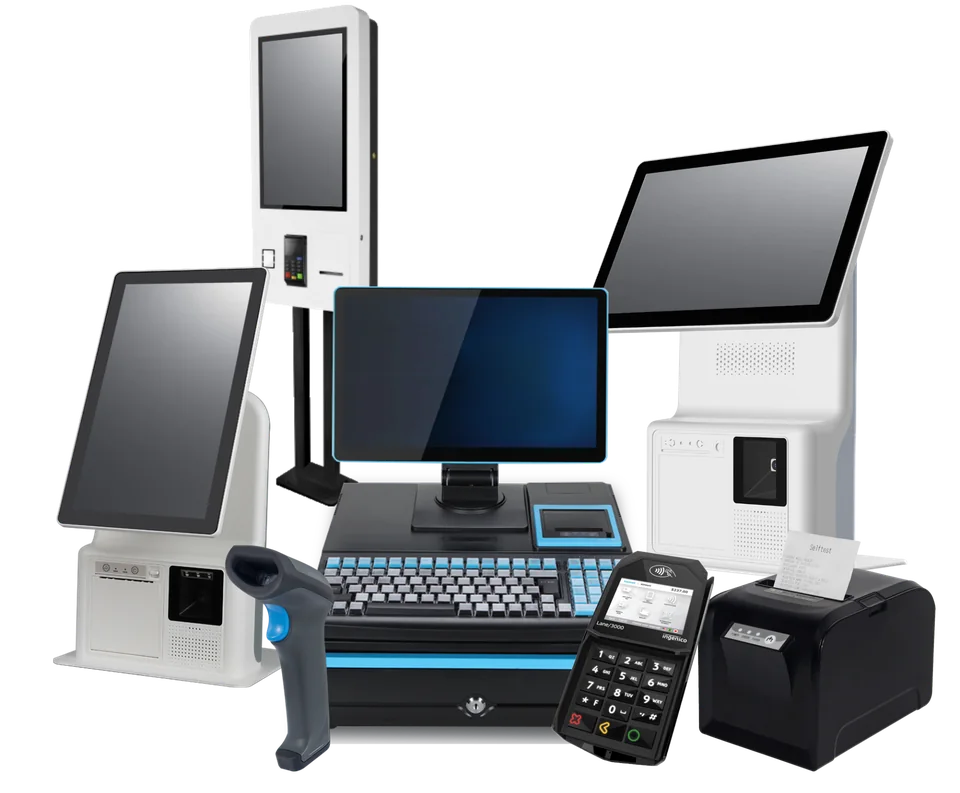
Choose the setup that fits your business
Start with the journeys you need to support: booking, arrival, ordering, payment and day-to-day management. Then agree the software modules, equipment and services that belong in your setup.
- Booking and arrival
- Ordering and payment
- Day-to-day management
Questions about choosing EPOS and booking software
Can I choose only the modules my business needs?
Yes. We can discuss the relevant booking, sales and management tools for your venue. Confirm the modules, hardware, payment services and configuration included in your plan and quotation.
Can the booking software work with my website?
The booking widget can run as a customer booking journey or be embedded in a website that permits it. Its available locations, activities, imagery and booking steps depend on your configuration.
Can customers book without creating an account?
Guest checkout is available for activities configured to allow it. Activities requiring waivers must use the identified-attendee journey, with guest checkout disabled so the required details and signatures can be collected.
Can we use our existing EPOS hardware?
Tell us the models and connections you use. Compatibility needs to be checked against the software, connector and payment-provider configuration before existing equipment is confirmed for your setup.
Can I see the system working for my type of business?
Request a demonstration and tell us what you book, sell and hire out. We can show the relevant workflows and discuss any specialist requirements before you choose a setup.
See how EPOS Bookings can support your business
Tell us what your customers book, buy, and rent, and how your team works. We’ll demonstrate the relevant software features and discuss the hardware and payment setup you need.