
PAYMENT OPTIONS FOR YOUR VENUE
POS Payment Solutions
Choose the payment arrangements that fit your counter sales, online bookings and memberships. EPOS Bookings supports configured payment workflows and records, with integration requirements confirmed for each provider, device and customer journey.
Recording a payment in POS is not always the same as processing it through an integration. Confirm the connection and payment outcome for each method you intend to use.
UNDERSTAND THE CONNECTION
Distinguish payment processing from payment recording
Integrated processing
A supported integration connects the payment journey with the relevant provider or terminal. Confirm how the amount is passed, how success or failure is returned and how the result reaches the order.
Recorded payment methods
A POS method can record a payment completed outside the software. That record alone does not establish an automated provider connection or confirmation of bank settlement.
Demonstrate the complete transaction for each method your staff will use, including what they should do if the payment result is delayed or unsuccessful.
TERMINAL SELECTION
Choose equipment alongside its supported integration
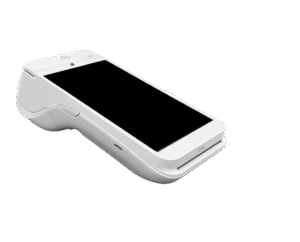
A payment-terminal model is only one part of the setup. Check the device, connector, gateway and required accounts together so the proposed equipment matches the intended workflow.
A product photograph shows the hardware; it does not demonstrate compatibility, payment acceptance or a completed transaction.
BALANCES AND PAYMENT RECORDS
Confirm how payments affect the order
Part payments
Order-balance functions support part payments. This does not by itself establish splitting a bill by guest or item, taking an online deposit or automatically collecting a later balance.
Cancellations and refunds
Booking or order cancellation is separate from an eligible refund. Confirm who can initiate the refund and how its result is recorded.
Documents and reporting
Receipt, invoice and credit-note functions support the relevant order processes. Payment registers and reports provide scoped records for review; they are not proof of bank settlement.
OTHER CUSTOMER JOURNEYS
Confirm QR and kiosk checkout separately
QR table ordering and self-service kiosks have their own customer journeys. Confirm the payment provider, available checkout actions and successful-payment handling for the version and configuration you intend to use.
Do not assume that a payment option available in online activity booking is also available through every QR or kiosk setup.
BEFORE YOU CHOOSE
Review the workflow and provider terms together
Identify the payment journeys
List where customers pay: at the counter, through online bookings, through a configured self-service journey or as part of membership billing.
Demonstrate the connections
Check the provider, equipment and accounts required, then walk through payment success, failure and the relevant staff actions.
Confirm the commercial terms
Obtain the applicable fees, contract conditions and settlement arrangements for the proposed provider setup. Do not assume the same terms apply to every payment route.
QUESTIONS BEFORE YOU CHOOSE
EPOS payment solutions questions
Does every payment method shown in POS process the payment?
No. Some selections can record a payment processed elsewhere. Confirm whether each method is integrated and how the payment outcome is established.
Can a payment terminal connect to EPOS Bookings?
Integrated terminal payments require a compatible device, connector and gateway. Confirm the exact supported combination before choosing equipment.
Can customers pay for activity bookings online?
Yes, where online checkout is configured with the required provider setup. Background confirmation can determine the recorded payment result after checkout.
Does part payment mean customers can split a bill?
Not necessarily. Part-payment functionality does not establish splitting by guest or item, or the use of several payment methods on one order. Ask to see the precise workflow you need.
Are refunds automatic when an order is canceled?
No automatic refund is promised. Cancellation and refund handling are separate, with eligibility, permissions and provider outcomes to confirm.
Are transaction fees and settlement times the same for every setup?
Do not assume they are. Confirm the applicable provider terms for the payment methods, equipment and accounts being proposed.
SEE YOUR PROPOSED PAYMENT SETUP
Walk through a payment from customer action to recorded result
Tell us how customers pay today and which journeys you want to support. We’ll demonstrate the relevant software connections and identify the equipment, provider configuration and terms that need confirming.