
Timed bookings and reception tools for swimming venues
Swimming Pool Booking & POS Software
Organize different swimming sessions with booking software that reflects how a pool timetable actually works.
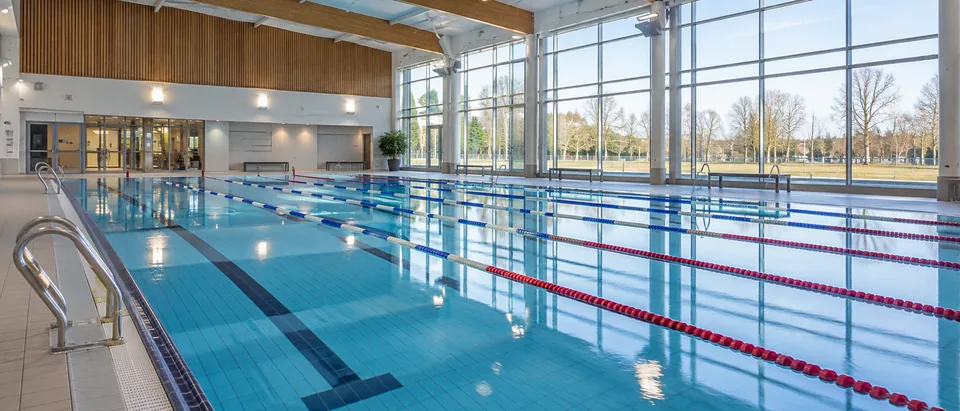
EPOS Bookings supports online bookings, scheduled capacity, start and end times, arrival planning and booking cut-offs for swimming venues. Public swims, family sessions and coached activities can each follow the timetable and capacity you make available. Membership profiles with QR arrival support regular visitors, while reception and café EPOS can handle items such as goggles, drinks and refreshments.
Give different swimming sessions their own timetable
A swimming pool may host several types of activity in the same day. An open public swim has a different purpose from a family session or a scheduled coached activity, so each can be organized around its relevant date, time and bookable capacity.
Session start and end times help define the customer booking, while booking cut-offs can support the operational point at which you no longer want new online bookings accepted for a particular session.
You can also account for the wider visit when planning the timetable, including the time customers need to arrive and use changing facilities before or after their booked pool session.
In everyday use
Follow a family from online booking to the pool
Imagine a parent wants to bring two children to a Saturday family swim. They choose the relevant family session online, select the required places from the capacity made available and complete the booking journey.
On the day, they arrive in sufficient time for the venue’s reception and changing process. Staff check the relevant booking as part of arrival before the family prepares for the scheduled session.
Where a pool uses color-coded activity slots, staff can issue matching physical wristbands to help identify the relevant timing group. For timed sessions where it is useful, configured announcements can also support communication before or at the scheduled end.
Handle regular members and casual swimming visits
Not every visitor arrives in the same way. A regular member may have a customer profile with a QR code that they show for staff to scan at reception, while a casual visitor may arrive with an online booking for a particular swimming session.
For example, Priya visits regularly as a member and presents her membership QR code when she arrives for the appropriate visit. Another customer arriving at the same time has booked places for a scheduled public swim. Reception can work with the relevant information for each customer rather than treating membership identification and activity bookings as the same thing.
The QR code supports the member arrival process; it does not imply an automatic physical access-gate system.
Manage session capacity without replacing pool procedures
Booking capacity controls how many places you choose to make available through the software for a particular swimming session. It provides an administrative tool for managing bookable places against the timetable.
Pool supervision and safe operating decisions remain separate responsibilities. The software does not determine the appropriate level of supervision or establish what capacity is safe for a particular pool, activity or group.
Your venue sets its capacity and operating procedures using the appropriate professional requirements and judgement, while the booking system manages the places you choose to offer.
In everyday use
Support session endings where timed groups need them
Some pool timetables involve defined changeovers between groups. Where color-coded activity slots are appropriate, matching physical wristbands can give staff a visual reference for the session a customer is attending.
Announcements can be configured for 15 minutes before the session ends or at the scheduled end, helping staff communicate with the relevant timing group. Staff still manage the physical changeover, changing facilities and subsequent admissions according to the pool’s procedures.
Bring reception and café sales into the wider visit
Customers may need more than admission when they arrive. Reception might sell goggles or drinks, while a pool with café facilities can also handle food and refreshment transactions through EPOS.
Product stock relates to those physical items and is distinct from swimming capacity, which represents bookable participant places within a session. Keeping the two separate makes reporting and day-to-day administration easier to understand.
Evaluate swimming pool booking software around the timetable
When comparing swimming pool booking systems, map the different activities you run rather than treating every swim as identical. Consider public, family and coached sessions, their start and finish times, booking capacity, arrival requirements and cut-offs.
Then follow customers through reception. Look at casual bookings, member QR arrivals, any useful wristband or announcement process and the additional retail or café transactions your team handles.
If your operation would benefit from a software improvement, requirements can be discussed and scoped. Where an improvement is agreed and confirmed, it can be provided without a software-development charge.
- Separate public, family and coached swimming sessions
- Online bookings and session capacity
- Start times, end times and booking cut-offs
- Membership profiles and staff-scanned QR arrival
- Optional color-coded slots and physical wristbands where appropriate
- Timed session announcements where useful
- Reception retail, drinks and café EPOS
Compare plans for your business
Review the included features and confirm any hardware or additional services required for your setup. Trials last one calendar month and require verification and approval. Review the Direct Debit setup and billing dates during registration.
Compare the full plan features
Every price is per location. Choose monthly or yearly billing, then select the plan that fits your operation.
Swipe or scroll the comparison sideways to view every plan.
| Included plan modules | Basic£69per location / monthBilled monthly | Standard£89per location / monthBilled monthly | Premium£130per location / monthBilled monthly | Scale£199per location / monthBilled monthly |
|---|---|---|---|---|
| Plan allowances | ||||
| Locations included | 1 location | 1 location | 1 location | 1 location |
| Staff users | 3 | 6 | Unlimited | Unlimited |
| Activity calendars (where configured) | 3 | 6 | Unlimited | Unlimited |
| Current plan modules | ||||
| Online Bookings | ✓ | ✓ | ✓ | ✓ |
| Inventory Management | ✓ | ✓ | ✓ | ✓ |
| EPOS Software | ✓ | ✓ | ✓ | ✓ |
| Kitchen Printer automation | ✓ | ✓ | ✓ | ✓ |
| Table Management | ✓ | ✓ | ✓ | ✓ |
| QR Code Table orders | — | ✓ | ✓ | ✓ |
| Waver Management | — | ✓ | ✓ | ✓ |
| KDS (Kitchen Display System) | — | — | ✓ | ✓ |
| Self-serve Kiosk Module | — | — | ✓ | ✓ |
| Core workflows and setup | ||||
| Suppliers and purchase orders | ✓ | ✓ | ✓ | ✓ |
| Session capacity and availability | ✓ | ✓ | ✓ | ✓ |
| Party and group bookings | ✓ | ✓ | ✓ | ✓ |
| Booking-based admissions | ✓ | ✓ | ✓ | ✓ |
| Venue check-in by reference or QR | ✓ | ✓ | ✓ | ✓ |
| Appointment requirements (discussed for the setup) | ✓ | ✓ | ✓ | ✓ |
| POS open orders and balances | ✓ | ✓ | ✓ | ✓ |
| Products and menu management | ✓ | ✓ | ✓ | ✓ |
| Online table reservations (where configured) | ✓ | ✓ | ✓ | ✓ |
| Staff roles and configuration | ✓ | ✓ | ✓ | ✓ |
| Booking communications | ✓ | ✓ | ✓ | ✓ |
| Operations and growth | ||||
| Operational reporting and dashboard | ✓ | ✓ | ✓ | ✓ |
| Multiple-location configuration (locations priced separately) | — | — | ✓ | ✓ |
| Customer accounts and visit history | ✓ | ✓ | ✓ | ✓ |
| Membership management (billing setup required for paid plans) | — | — | ✓ | ✓ |
| Loyalty points and rewards | — | — | ✓ | ✓ |
| Customer email campaigns (configured consent required) | — | — | — | ✓ |
| Session color coding for wristband workflow | — | — | — | ✓ |
| Session announcements (configured) | — | — | — | ✓ |
| equipment rental (where applicable) | — | — | — | ✓ |
| Choose your plan | ||||
Each additional location is priced separately; ask about a possible multi-location discount. Plan eligibility still depends on the relevant configured workflow and the offered setup. Appointment requirements are discussed rather than a promise of dedicated appointment booking. Confirm the customer-facing reservation journey, equipment, printer connection, paid membership billing, payment processing, support and contract terms in a written quote. Trials require verification and approval.
Your questions answered
Frequently asked questions
Can different types of swimming sessions have separate capacity?
Yes. Public swims, family sessions and coached activities can be scheduled separately with the number of bookable places you choose to make available for each session.
Can members use a QR code when they arrive?
Yes. Membership customer profiles can include QR codes that members show and staff scan as part of the reception process.
Does the software decide the safe capacity of our swimming pool?
No. Your venue determines appropriate capacities, supervision and operating procedures. The software manages the number of bookable places you choose to make available for a session.
Can we sell goggles, drinks and café products through EPOS?
Yes. Reception retail and café transactions can be handled through EPOS. Product stock for physical goods is managed separately from the participant capacity of swimming sessions.
EPOS Bookings · UK-wide
Build your pool booking journey around your timetable
Tell us about your public swims, family sessions, coached activities, memberships and reception sales. We can show how EPOS Bookings supports scheduling, bookable capacity, arrivals and timed session management while your team retains control of pool supervision and venue procedures.