
Build the Right EPOS Setup
POS Hardware, Software & Payments
Build an EPOS system from the components your business actually needs.
EPOS and POS are commonly overlapping terms for modern point-of-sale systems, but a complete setup involves more than a till screen. Physical hardware, software functionality and a compatible payment service need to work together around the customer journey. EPOS Bookings supports hospitality, leisure and appointment-led businesses with combinations ranging from straightforward checkout to online bookings, memberships, kitchen workflows and venue session management.

Explore products and features
Real product screens
See the software behind the system
These EPOS Bookings demonstration screens show three parts of the customer journey: choosing an activity slot, checking in at the venue and ordering at a self-service kiosk. Explore each product page for its workflow and suitability.
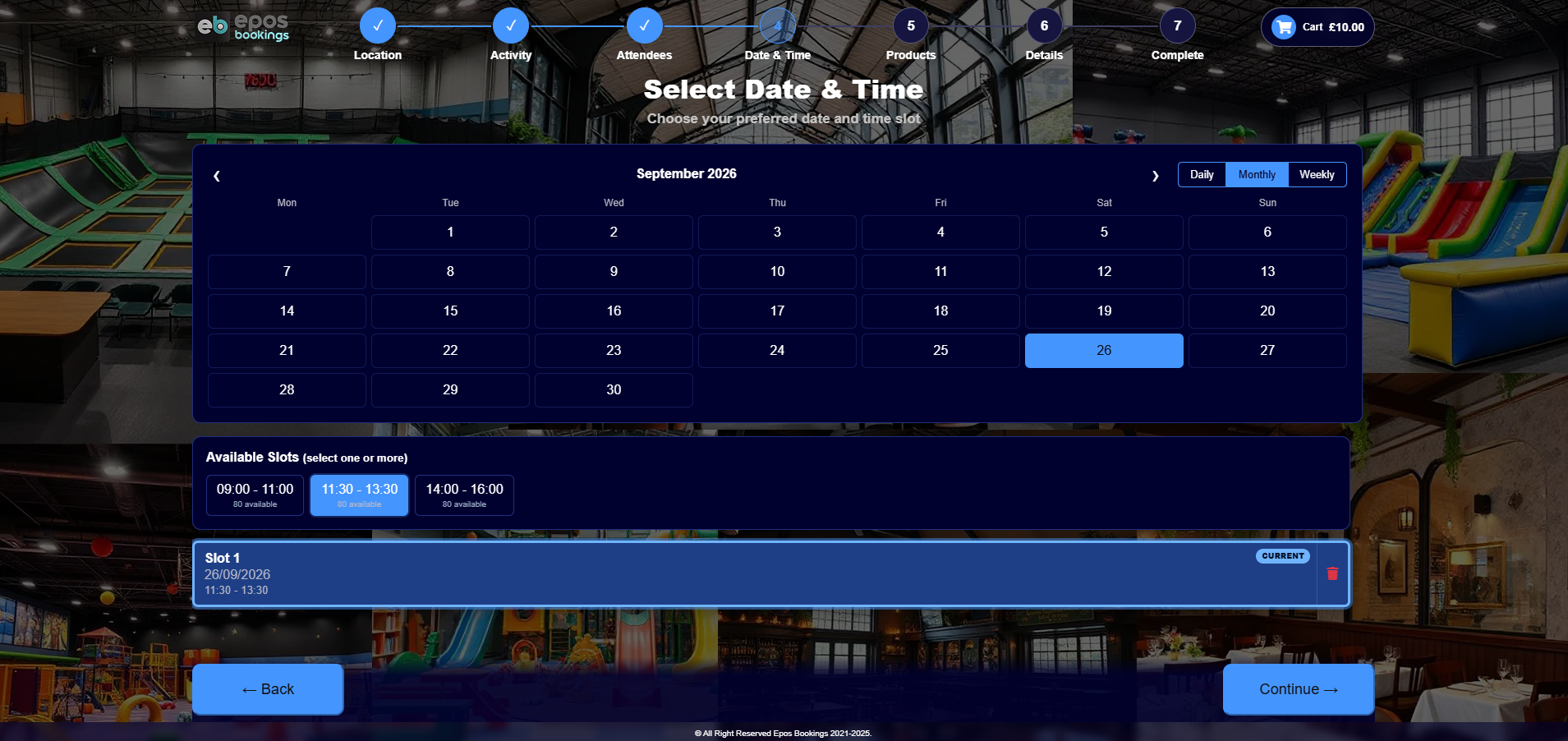
Customers choose an available activity date and session.
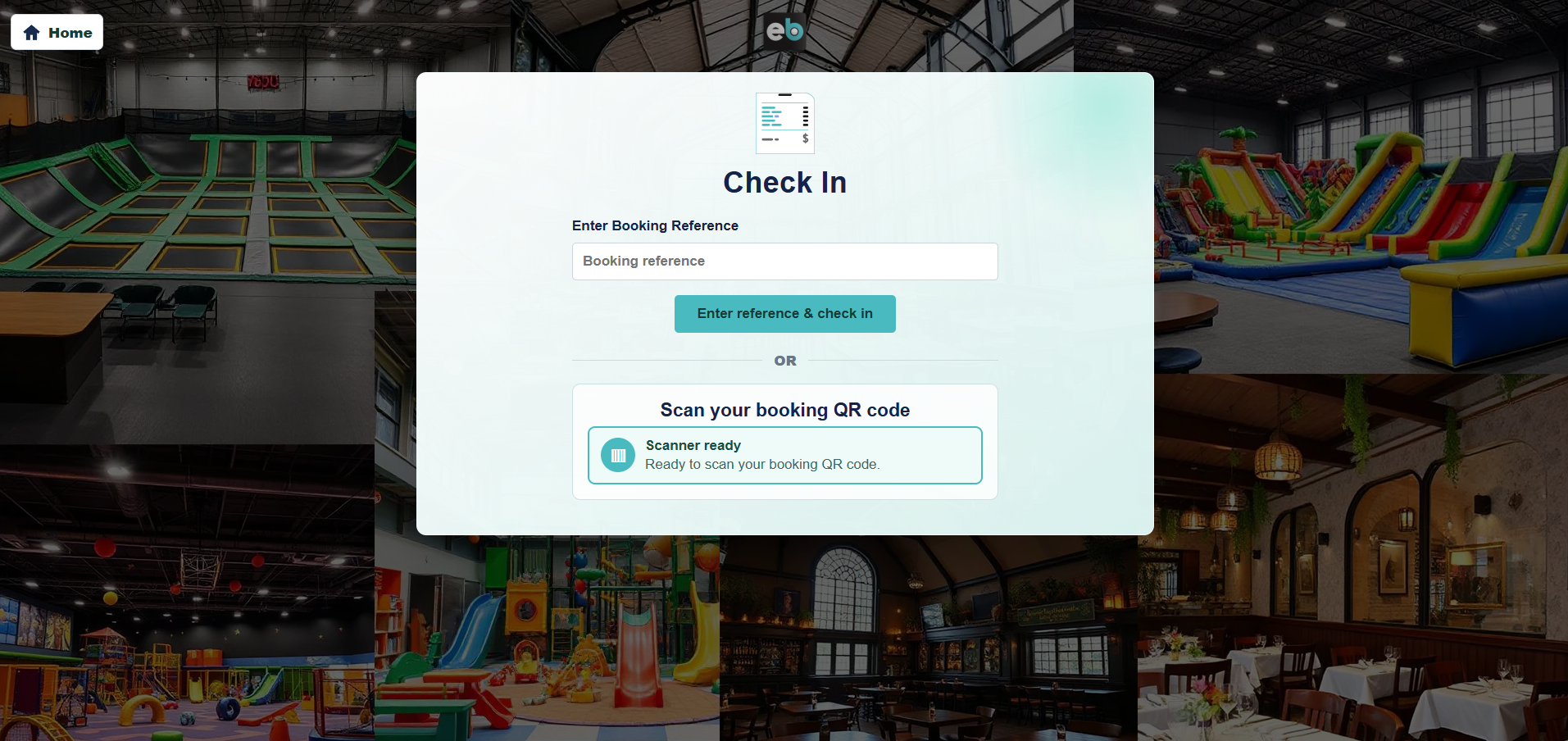
A visitor-facing arrival flow for a booked activity.
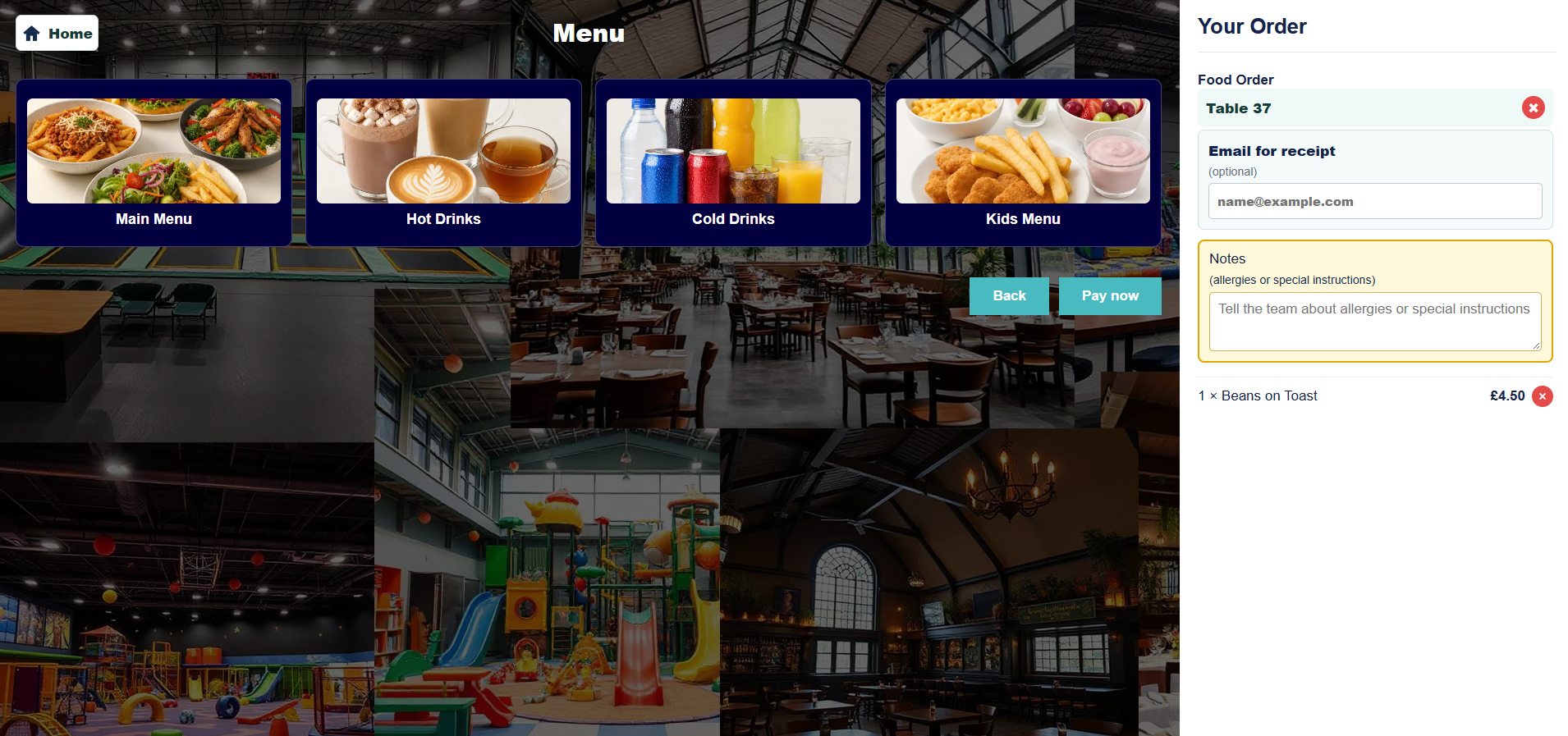
A sample kiosk menu for an on-site food order.
Demonstration screens use sample products and venue details; the configured journey depends on your setup.
Choose physical EPOS hardware for each workstation
Hardware is the equipment staff and customers physically use. Depending on the workplace, this can include touchscreen till terminals, scanners, receipt or kitchen printers, customer displays, cash drawers, kiosks and other compatible devices.
A reception desk does not necessarily need the same equipment as a café counter or kitchen. Start by mapping each working position and identifying what employees need to do there.
Exact hardware models and software compatibility should be checked before equipment is purchased or retained from an existing system.
In everyday use
Select software around the operation
Software provides the functions running through the EPOS environment. Core requirements can include orders, sales, product stock and reporting, while bookable businesses can add relevant booking functionality.
EPOS Bookings also supports capabilities including waivers, memberships with customer profiles and QR arrival scanning, loyalty schemes and guest checkout. Timed leisure operations can use color-coded activity slots, matching physical wristbands and scheduled announcements before or at the end of a session.
The useful combination depends on the business. A restaurant, soft play center and appointment-led business all need different workflows even if each uses EPOS.
Combine software, hardware and payments
A complete EPOS system combines the relevant software with compatible physical devices and the selected payment service. Treating these as separate categories makes proposals easier to compare and helps identify where a particular requirement sits. Our complete EPOS system guide explains how these pieces fit together and what to check before buying.
Payment devices and services have their own supported methods, charges and settlement arrangements. These should be considered alongside the EPOS workflow rather than assuming the till hardware itself provides the payment service.
See how different businesses build different systems
A restaurant might combine touchscreen tills, payment devices and printers with table management, kitchen displays and QR table ordering. Its priority is moving accurately from customer order through preparation to the final bill.
A soft play venue may combine online bookings, capacity management, check-in, waivers where required and session tools with reception and café EPOS. Membership profiles, QR arrival scanning and loyalty can support returning customers.
An appointment business might focus on online service bookings, configurable appointment lengths and staff calendars, then use EPOS for service payments and relevant retail product sales.
In everyday use
Plan connections and future improvements
If your business already relies on another platform, identify the named system and the information that needs to move between it and EPOS Bookings. Integrations are scoped according to the technical interface and intended workflow rather than assuming every external platform connects automatically.
Custom requirements can also be discussed with the in-house development team. Suitable software improvements can be provided at no additional charge where the requirement and scope have been agreed, while third-party services, specialist hardware and wider integration work remain separate considerations.
- Map the customer journey before choosing equipment
- Separate software requirements from physical hardware
- Identify the payment service and payment devices required
- Choose booking, hospitality or leisure functions around real workflows
- Record existing hardware and external systems
- Scope integrations and specialist requirements individually
Your questions answered
Frequently asked questions
What is the difference between EPOS and POS?
The terms overlap heavily in modern business use and commonly describe electronic point-of-sale systems. More important than the label is understanding the software, hardware and payment components included in the proposed setup.
What hardware can form part of an EPOS system?
Relevant hardware can include touchscreen terminals, scanners, receipt and kitchen printers, customer displays, cash drawers and kiosks. The appropriate devices depend on the workstation and software requirements.
Does EPOS Bookings support more than till sales?
Yes. Available functionality includes bookings, reporting, product stock, waivers, memberships, loyalty and relevant hospitality and leisure workflows alongside core sales functionality.
Can EPOS Bookings connect with other systems?
Third-party integrations can be considered following technical review. The named platform, required information flow and interface need to be established before compatibility and scope are confirmed.
EPOS Bookings · UK-wide
Build an EPOS system around your business
Book a demonstration with EPOS Bookings to discuss your customer journey, software requirements, physical hardware and payment setup. We can help identify the combination that fits your venue now and scope relevant integrations or future improvements.